Baud Intentions - (OT/IOT)
On this page
Challenge Overview
| Event | KPMG CTF 2026 Campus Edition |
|---|---|
| Challenge | Baud Intentions |
| Category | ICS / Hardware |
| Points | 10 |
| Target | 0.cloud.chals.io:33786 |
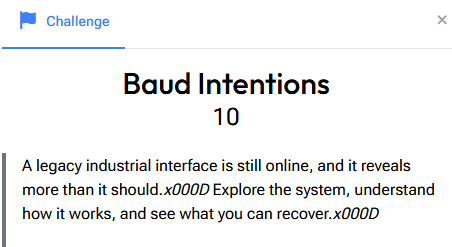
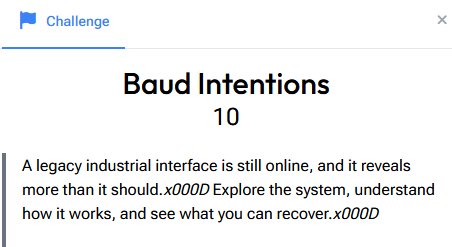
"A legacy industrial interface is still online, and it reveals more than it should. Explore the system, understand how it works, and see what you can recover."
The title is a pun, baud is the UART serial speed, so we're talking to a serial console on an industrial device. Connecting to the target drops us into the maintenance shell of a simulated PLC (Programmable Logic Controller), the kind of controller that runs motors, valves and sensors in a SCADA environment.
This isn't a Linux box. It's a tiny custom command interpreter with its own verbs, and the whole challenge is about enumerating that interface to find what the operators left exposed.
Step 1: Orient in the Restricted Shell
The banner tells us a lot, and ls immediately reminds us this is not bash:
SCADA-7 :: PLCTERM-4  |  UART 115200 8N1  |  ttyUSB0
[WARN] Maintenance mode: LOCKED

root@plc4:~$ ls
  command not found: ls
  type 'help' for available commands.
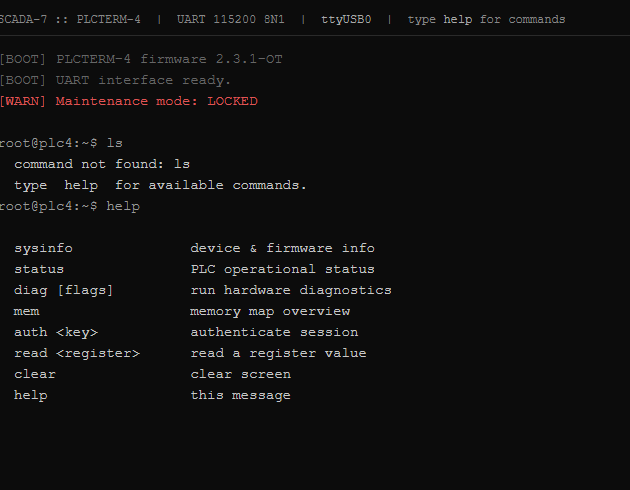
help gives us the full command set:
sysinfo          device & firmware info
status           PLC operational status
diag [flags]     run hardware diagnostics
mem              memory map overview
auth <key>       authenticate session
read <register>  read a register value
clear            clear screen
help             this message
Two things stand out: the system is in a LOCKED maintenance mode, and there's an auth <key> command. So the path is probably: find a key → auth → unlock something → read the flag out of a register.
Step 2: Map the Device and Memory
sysinfo and status dump the device's state:
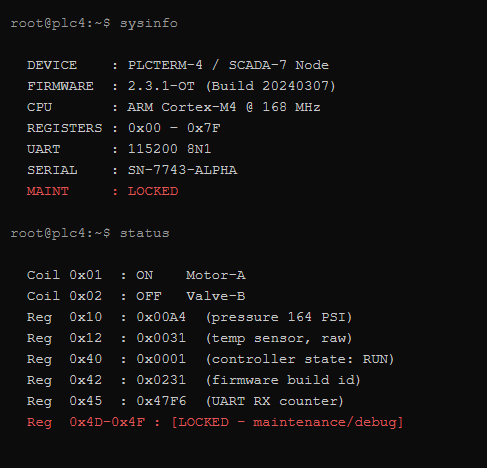
Key facts from sysinfo:
DEVICE : PLCTERM-4 / SCADA-7 Node
SERIAL : SN-7743-ALPHA
REGISTERS : 0x00 - 0x7F
MAINT  : LOCKED
And status shows the register map in use, ending with the interesting bit:
Reg 0x4D-0x4F : [LOCKED - maintenance/debug]
mem confirms the layout of the register space:
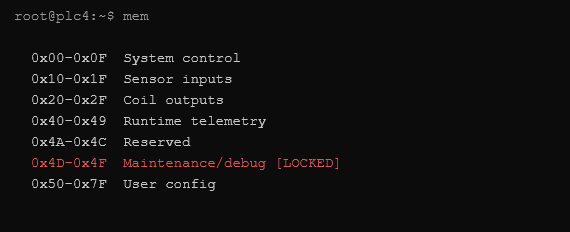
0x00-0x0F  System control
0x10-0x1F  Sensor inputs
0x20-0x2F  Coil outputs
0x40-0x49  Runtime telemetry
0x4A-0x4C  Reserved
0x4D-0x4F  Maintenance/debug [LOCKED]
0x50-0x7F  User config
The target is clearly the 0x4D-0x4F maintenance/debug range. It's locked, so we need to both authenticate and unlock it.
Step 3: Find the Service Key
Reading through the register space, most addresses return nothing (no data or reserved), but one is a gift:
root@plc4:~$ read 0x48
[READ] 0x48 = LEGACY_SERVICE_KEY: MAINT-<UNIT>
The key format is MAINT-<UNIT>, and <UNIT> is the device's unit number. We already have it from sysinfo: the serial is SN-7743-ALPHA. So the legacy service key is:
MAINT-7743
This is the realistic part of the challenge, legacy industrial gear routinely derives "service" or "maintenance" keys from a predictable field like the serial number, so anyone who can read the nameplate can authenticate.
Step 4: Authenticate, Then Unlock via Diagnostics
root@plc4:~$ auth MAINT-7743
[AUTH] Key accepted. Session elevated.
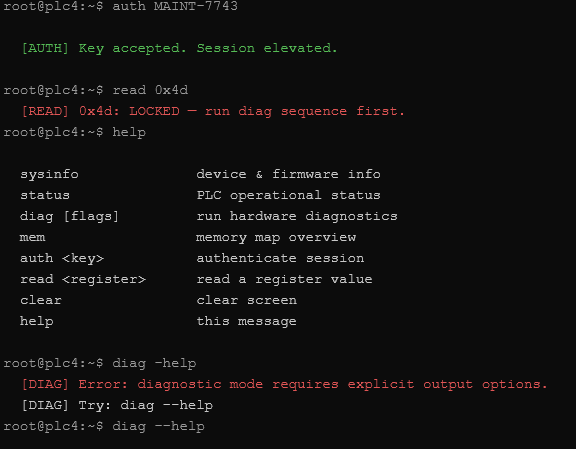
But reading the debug register still fails:
root@plc4:~$ read 0x4d
[READ] 0x4d: LOCKED — run diag sequence first.
So auth alone isn't enough, the debug buffers only become readable after a diagnostic run. Probing diag shows it refuses to run without explicit output options:
root@plc4:~$ diag -help
[DIAG] Error: diagnostic mode requires explicit output options.
[DIAG] Try: diag --help
Giving it the verbose + raw flags runs the full sequence and flips the maintenance range open:
root@plc4:~$ diag --verbose --raw
[DIAG] Running full diagnostic...
[DIAG] 0x01 .. CPU core integrity   PASS
[DIAG] 0x4D .. Debug buffer A        UNLOCKED
[DIAG] 0x4E .. Debug buffer B        UNLOCKED
[DIAG] 0x4F .. Debug buffer C        UNLOCKED
[DIAG] Done. Maintenance/debug range accessible.
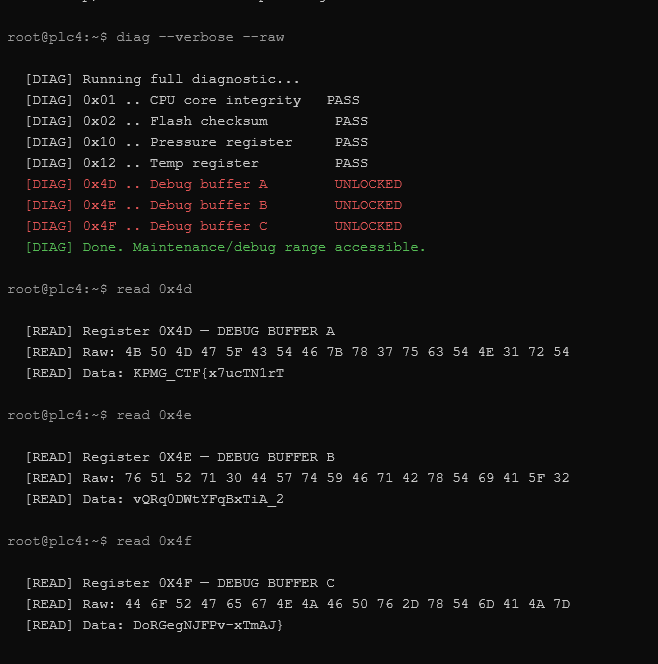
The two-step gate (authenticate and run diagnostics) mirrors how real maintenance modes work: elevating a session and actually enabling debug output are separate operations.
Step 5: Read the Debug Buffers and Assemble the Flag
With 0x4D-0x4F unlocked, read each buffer. The flag was split into three pieces, one per register:
read 0x4d → [READ] Data: KPMG_CTF{x7ucTN1rT
read 0x4e → [READ] Data: vQRq0DWtYFqBxTiA_2
read 0x4f → [READ] Data: DoRGegNJFPv-xTmAJ}
Concatenating A + B + C in register order gives the flag:
KPMG_CTF{x7ucTN1rTvQRq0DWtYFqBxTiA_2DoRGegNJFPv-xTmAJ}
Summary
| Step | Command | Result |
|---|---|---|
| 1 | help / mem / status | Found locked 0x4D-0x4F debug range |
| 2 | read 0x48 | LEGACY_SERVICE_KEY: MAINT-<UNIT> |
| 3 | sysinfo | Serial SN-7743-ALPHA → key MAINT-7743 |
| 4 | auth MAINT-7743 | Session elevated |
| 5 | diag --verbose --raw | Debug buffers unlocked |
| 6 | read 0x4d/0x4e/0x4f | Three flag fragments → full flag |
Key Takeaways
- Enumerate the custom interface first. There's no
lshere;help,mem,statusandsysinfoare the recon tools. On ICS/embedded gear, map the command set and the register layout before trying anything clever. - Secrets are derived from nameplate data. The maintenance key was just
MAINT-plus the serial's unit number. Legacy industrial devices lean on predictable, field-derived credentials, which is exactly why they're a soft target in the real world. - Access often has multiple gates.
authelevated the session, but the debug range needed a separatediagrun to unlock. Don't stop at the first "accepted", watch what each step actually enables. - Read the error messages literally.
run diag sequence firstanddiagnostic mode requires explicit output optionstold us precisely what to do next (diag --verbose --raw). The box was guiding us; the trick was listening. - Flags can be fragmented across registers. Three debug buffers each held a slice; reassembling them in address order produced the flag.
Flag: KPMG_CTF{x7ucTN1rTvQRq0DWtYFqBxTiA_2DoRGegNJFPv-xTmAJ}