Enterprise Active Directory Hardening
Project Overview
Active Directory is the backbone of 90% of Fortune 1000 networks. Securing it requires moving beyond default configurations to a defensive architecture.
This project involved designing, deploying, and hardening a complete enterprise Active Directory environment from scratch. Simulating a 1000+ user organization, this lab was built to implement modern security best practices, including a tiered administration model, defense against lateral movement, and automated auditing.
Network Architecture
The environment was built using Oracle VirtualBox to create a multi-server, segregated network architecture.
- Segregation: A segregated internal network (
172.16.0.0/24) protected by a Domain Controller acting as a NAT router/firewall. - Core Services: AD DS, DNS, DHCP, and IIS Web Server.
- Clients: Windows 10 Enterprise endpoints managed via Group Policy.
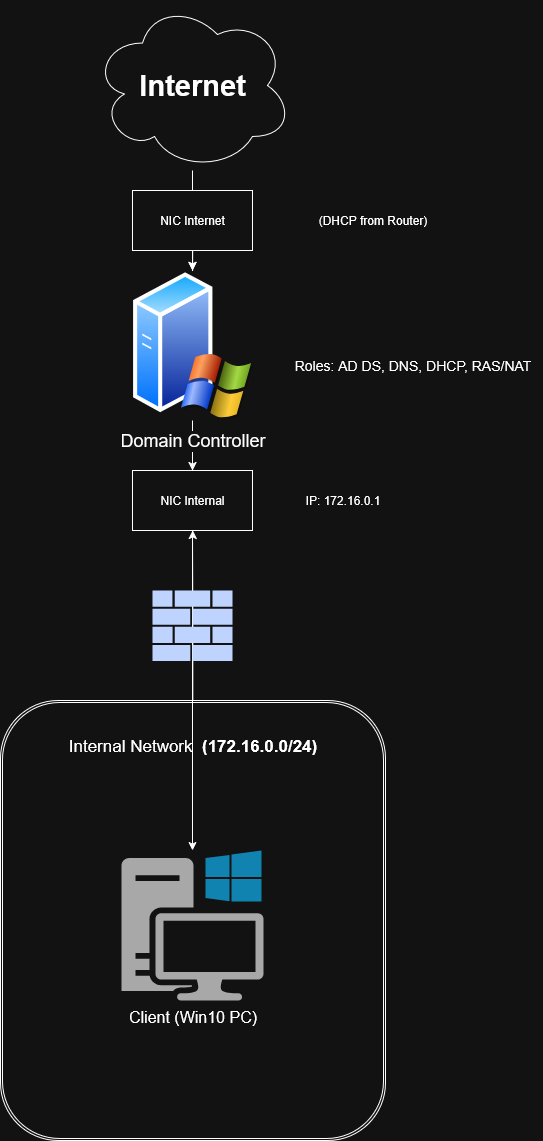 Network Architecture Diagram
Key Features & Implementation
1. Enterprise Scale Simulation
A common issue with home labs is the lack of "noise." To simulate a production environment, I utilized PowerShell scripting to populate the directory with over 1,000 realistic user objects, organized into a structured Organizational Unit (OU) hierarchy. This allowed for realistic testing of Group Policy inheritance and query speeds.
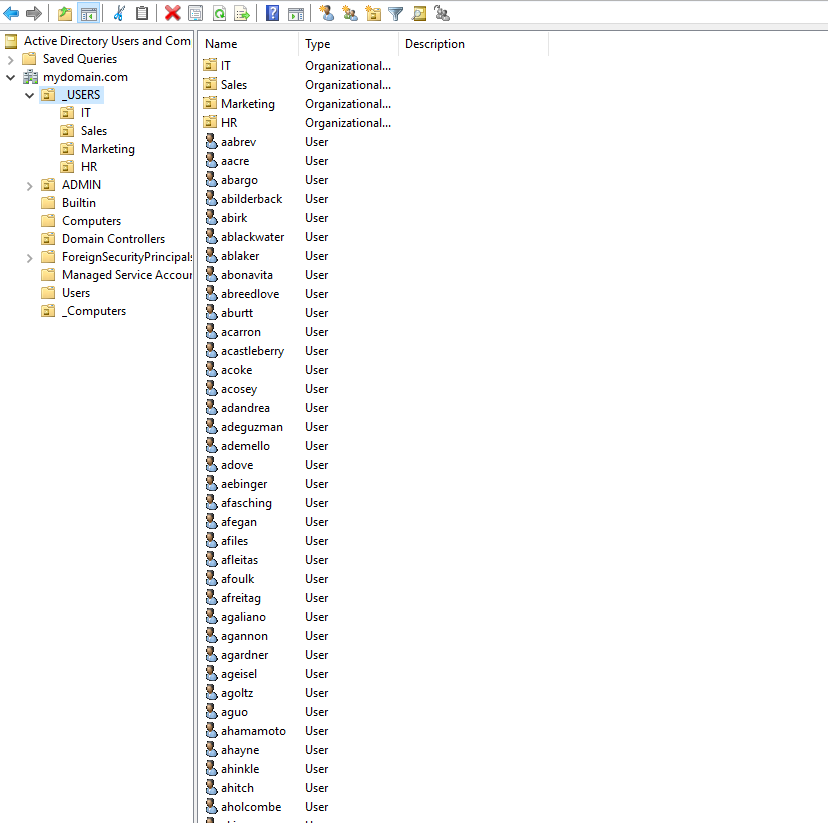 Active Directory Users and Computers populated with 1000+ users
2. Security Hardening (Tiered Admin Model)
To mitigate credential theft and "Pass-the-Hash" attacks, I implemented a Tiered Administration Model:
- Tier 0 (Domain Admins): Credentials restricted to Domain Controllers only.
- Tier 2 (Helpdesk): Granted local admin rights on workstations but strictly blocked from logging into servers via GPO.
- LAPS (Local Administrator Password Solution): Deployed LAPS to randomize local administrator passwords on workstations, rotating them every 30 days.
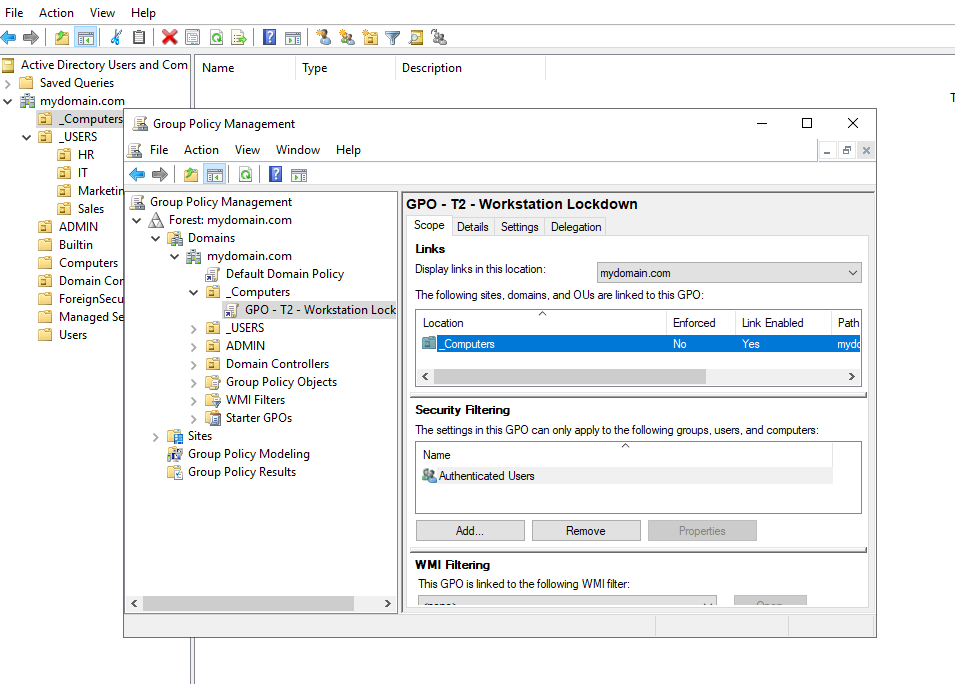 Group Policy configuration for Tiered Administration
3. Automated Security Auditing
I developed a custom PowerShell tool (Invoke-ADSecurityAudit.ps1) to continuously monitor the environment's health.
The script runs daily via Windows Task Scheduler, scans for misconfigurations (e.g., stale accounts, non-expiring passwords, Empty Groups), and generates a hosted HTML dashboard on the local IIS server.
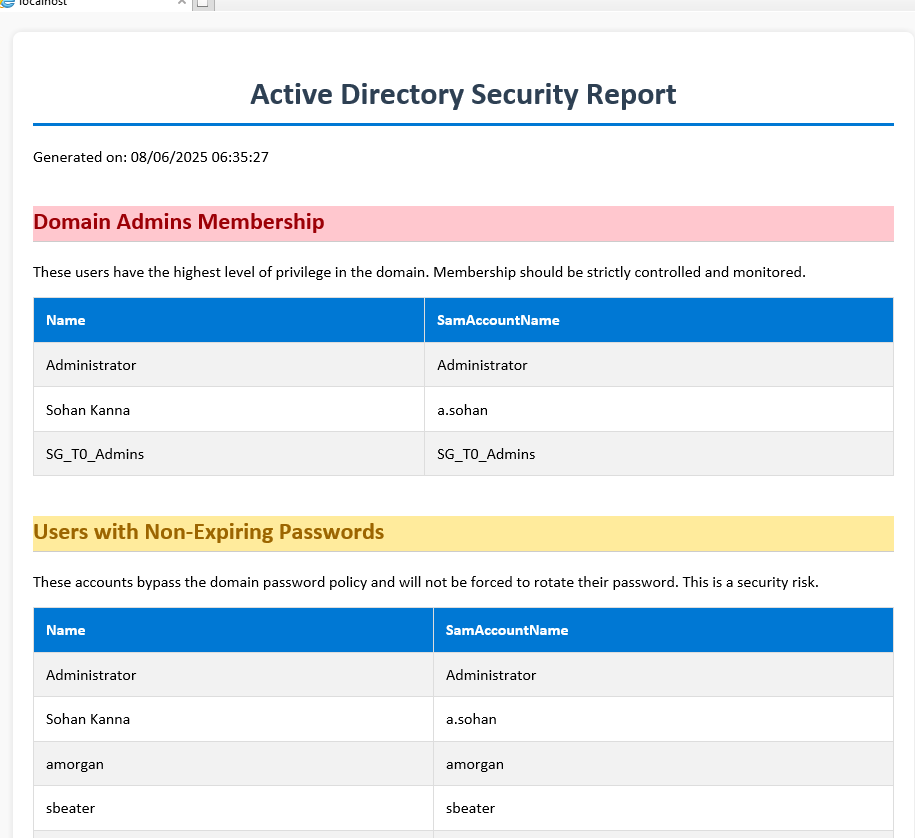 Automated HTML Security Dashboard
Challenges & Troubleshooting
Group Policy: Legacy vs. Modern
The Challenge: An initial attempt to grant helpdesk admin rights using the legacy "Restricted Groups" policy repeatedly failed to apply correctly.
The Fix: Through client-side diagnostics (gpresult /h), I migrated the configuration to Group Policy Preferences (GPP). This provided more granular control and successfully applied the local admin rights without conflict.
SIEM Integration & Hardware Limits
The Challenge: A stretch goal involved integrating a Graylog SIEM on a Linux VM. The installation failed repeatedly with obscure service crashes. The Root Cause: After deep-diving into MongoDB logs and dependency requirements, I discovered an AVX CPU instruction set incompatibility between my host hardware and the required version of MongoDB. The Lesson: This underscored the importance of verifying hardware-level prerequisites when integrating modern security tooling into legacy or virtualized hardware.
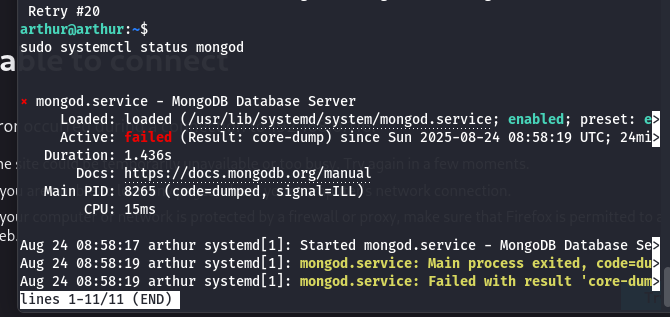 CPU Instruction Set Error Debugging