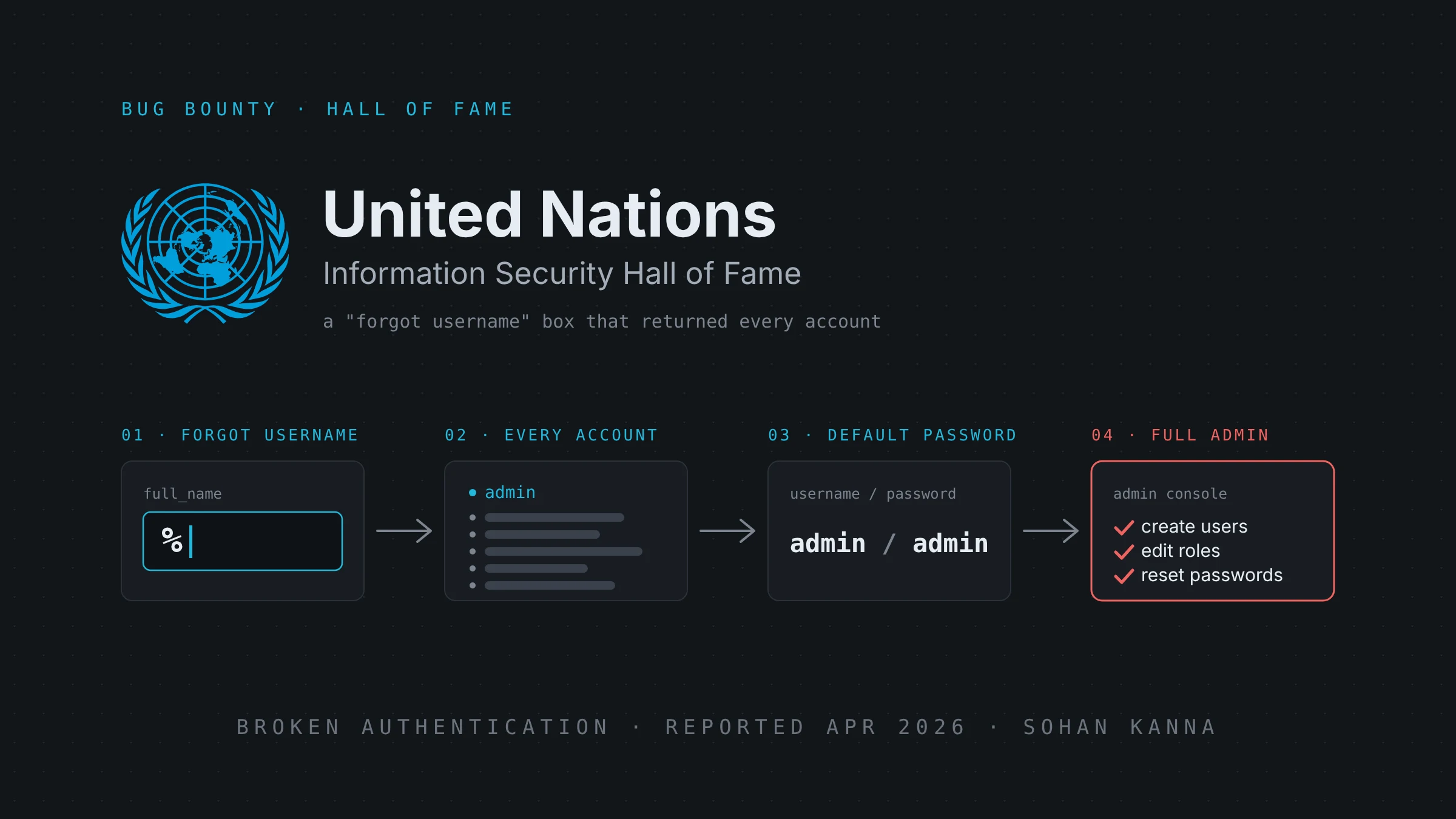
One % and admin/admin: How a Forgot-Username Box Got Me Into the United Nations Hall of Fame
A UN web app's "forgot username" form printed matching usernames on screen. A single % listed every account, the admin account still had the password admin, and that meant full control of the admin console. Here's how I found it, step by step.

- Severity
- Critical
- Class
- Broken authentication
- Reported
- 28 Apr 2026
- Status
- Fixed
On this page
This one still makes me smile, because there was nothing fancy about it. No exploit chain, no zero-day, no custom tooling. A "Forgot username?" link, one character, and the most obvious password in the world.
TL;DR
- A United Nations web application had a forgot-username form that showed matching usernames right on the page.
- Typing
%in the name field matched everyone, so the form listed every account, starting withadmin. - The
adminaccount was still using the passwordadmin. - That meant full control of the admin console: 39 users, their roles, permissions and passwords.
- I reported it to the UN through their disclosure process, and they added me to their Information Security Hall of Fame.
All screenshots are redacted. I've blurred the domain, every real username, name and email, and the support contact. I'm not naming the exact application either.
The target
The app was an internal AI productivity suite on a un.org subdomain, a set of newsroom tools for crawling UN sources, translation, approvals and an AI assistant. The front door was a plain username and password login, with two links under it: Forgot username? and Forgot password?
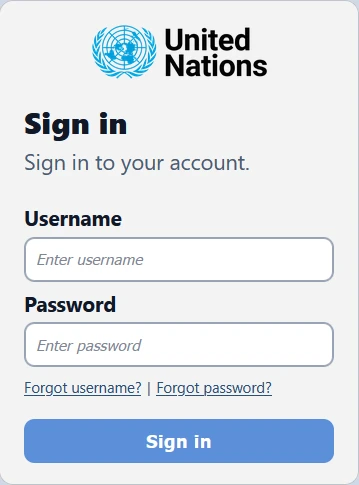 The sign-in page. Two small links under the password field, and one of them is the whole story.
Login pages are usually a dead end. The recovery flows next to them often aren't, so I clicked the first link.
A forgot-username form that answers on screen
Most forgot-username flows ask for your email and send the username to that inbox. If you don't own the inbox, you learn nothing.
This one asked me to fill in at least one of full name, registered email or registered phone, and then it just printed the matching usernames on the page. That's already a problem on its own: anyone can find out valid usernames without owning the account.
I started with something generic: John as the name and john@un.org as the email.
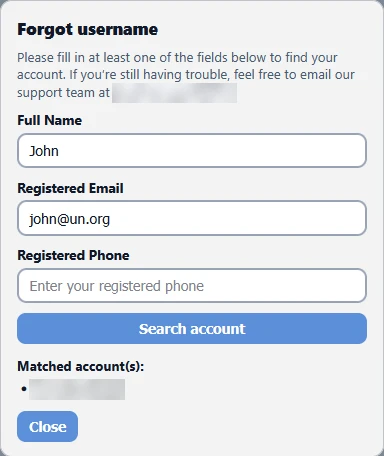 A generic "John" search returned a real account. Username blurred.
It came back with a real staff username (blurred here). Two things stood out:
- It was a partial match. The username only contained "john"; it wasn't an exact hit.
- One field was enough. The email I typed obviously wasn't his, and it still matched on the name.
Partial matching like that almost always means a SQL LIKE '%john%' somewhere behind the API.
Ruling out SQL injection
When you see LIKE, the first thing you try is a quote. I sent the request to Burp Repeater and added a single ' to the name:
POST /api/v1/auth/recover-username HTTP/2
Host: [redacted]
Content-Type: application/json

{"full_name":"John'","email":"john@un.org"}
HTTP/2 200 OK
Content-Type: application/json

[]
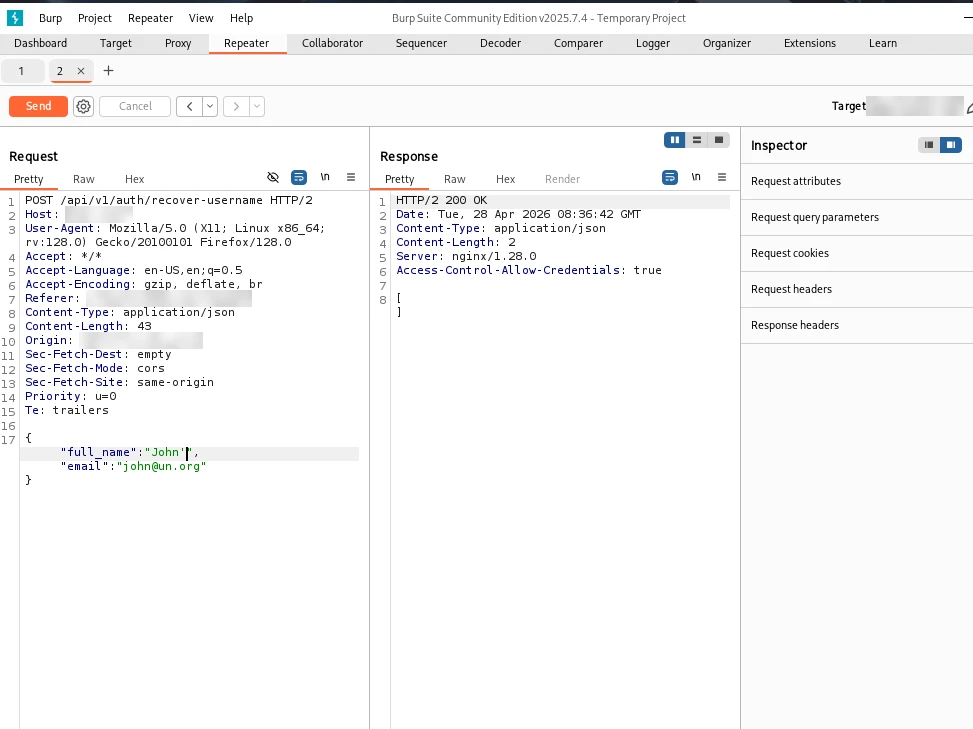 Burp Repeater: a quote in the name just returns an empty list. No error, no 500.
Clean 200 OK, empty list, no database error. The quote was treated as a normal character, which means the query was parameterised. So no SQL injection. Good for them.
But parameterised queries protect you from injection, not from wildcards.
One % that matched everyone
Inside a LIKE pattern, % means "any characters". A parameterised query passes your % straight through as part of the pattern. It can't break the query, but it still means "anything".
So if the server builds the pattern as '%' + input + '%', sending % as the name turns the condition into LIKE '%%%', and that matches every row. Something like this, probably:
-- my guess at the query: parameterised, so no injection...
SELECT username FROM users
WHERE full_name LIKE '%' || :name  || '%'
   OR email     LIKE '%' || :email || '%';

-- ...but :name = '%'  →  LIKE '%%%'  →  every single row
I typed % into Full Name and hit Search.
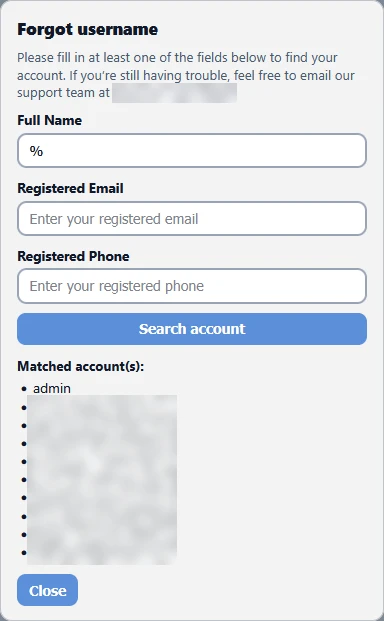 A single % in Full Name. Every account came back, and the first one was admin. Other usernames blurred.
Every account on the platform, in a neat list. And right at the top: admin.
admin / admin
A full username list turns password guessing from "impossible" into "maybe". And the first name on the list was the most interesting one.
I went back to the login page and tried the most obvious default there is: username admin, password admin.
It worked.
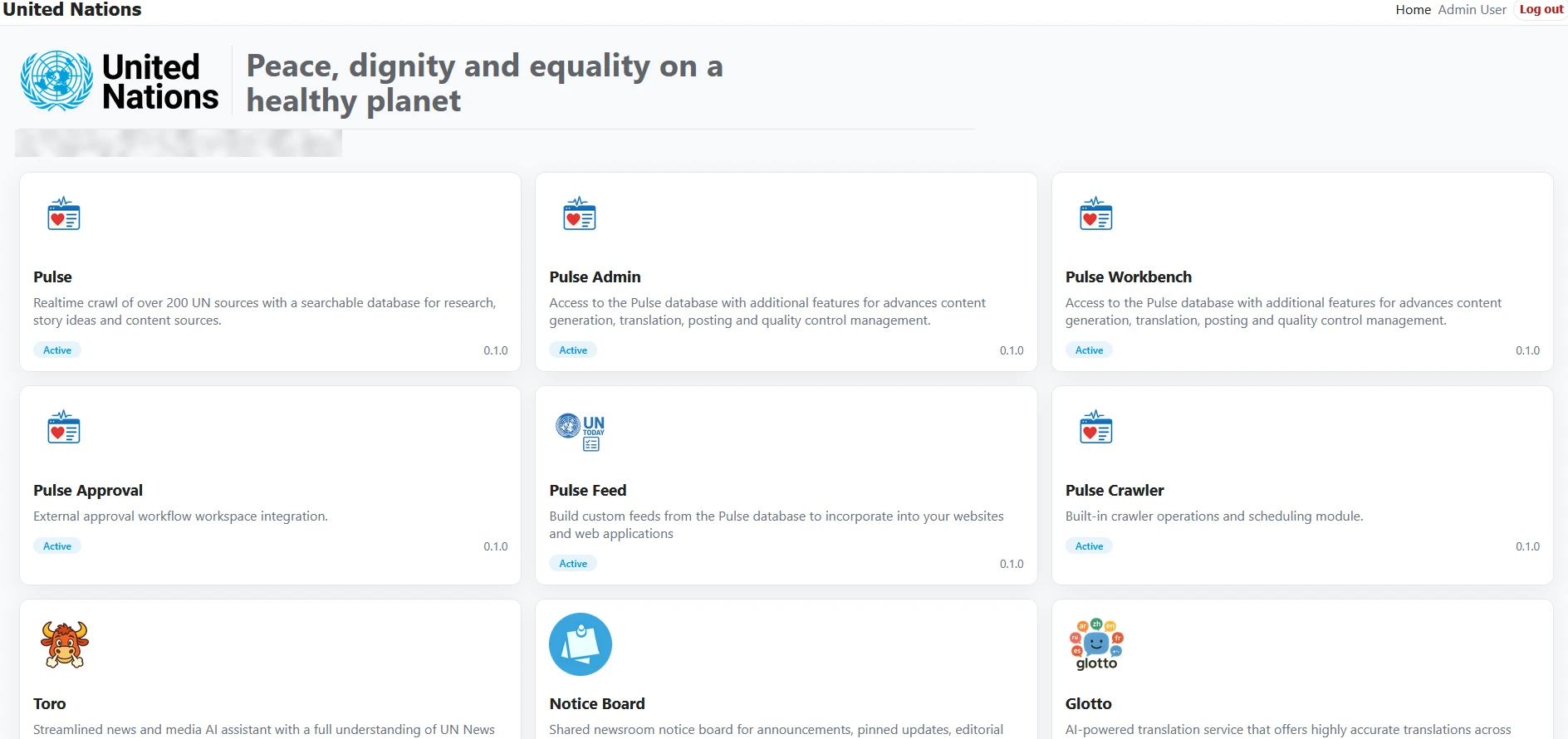 Logged in as admin: the full suite, with every module available. Subtitle blurred.
What admin could do
The account had every permission on the platform, including the admin console:
- 39 user accounts, with full names and email addresses
- Create User, Edit User and Disable on any account
- Roles & Permissions management
module.edit.user-password: set a new password for any user
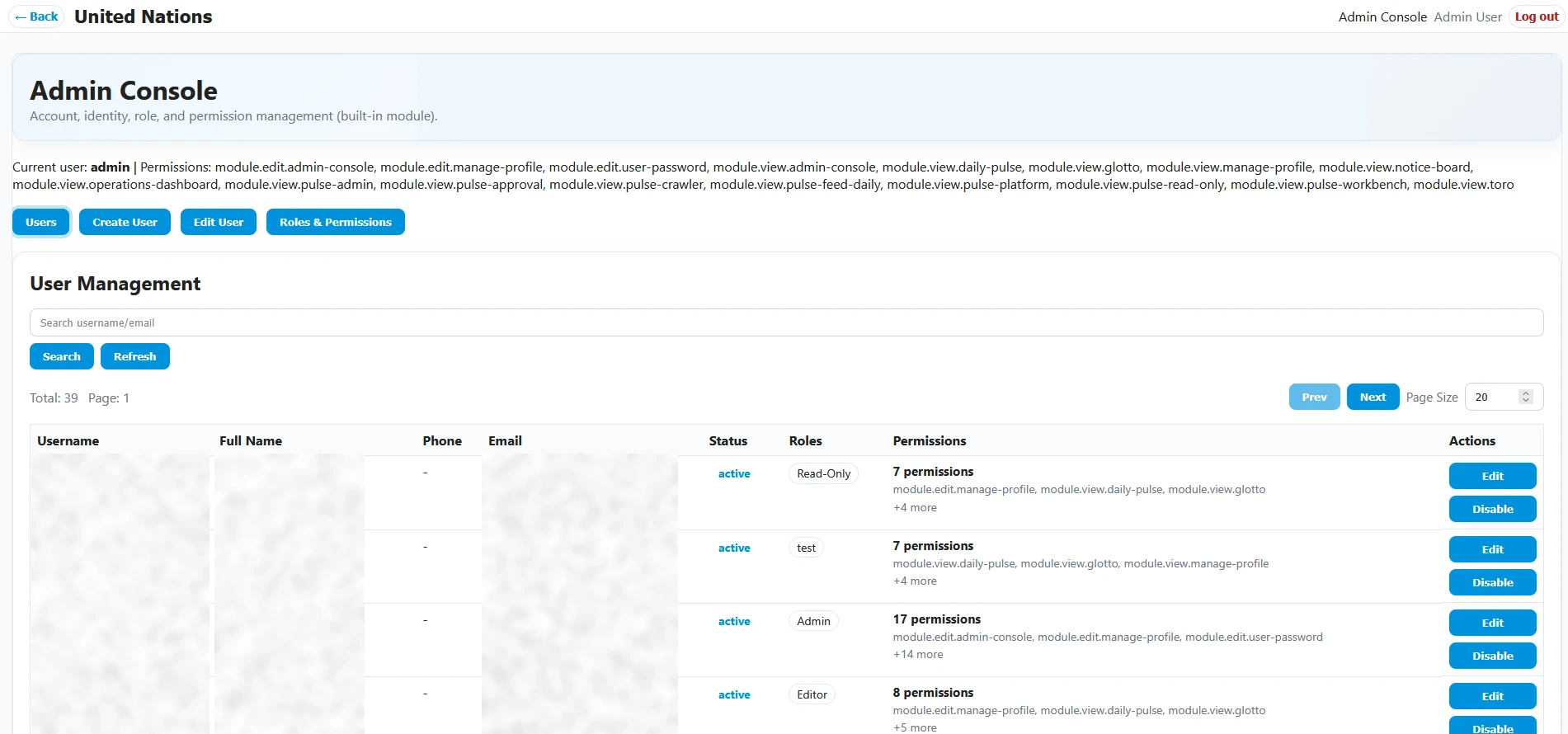 The admin console. Usernames, names and emails blurred; the permission list is the important part.
That was enough to prove the impact, so I stopped there, logged out and wrote the report.
Why this is critical
Starting from zero, with no account and no inside knowledge, anyone on the internet could:
- Take over every account by resetting its password from the admin console
- Act as any editor or admin inside a newsroom toolset that includes publishing feeds, an approval workflow and a shared notice board
- Read staff names and email addresses for every user on the platform
- Create hidden admin accounts for persistence, or lock real staff out
None of the three mistakes is dramatic on its own. Chained together, they hand over the whole platform.
Root cause and how to fix it
| # | What went wrong | Fix |
|---|---|---|
| 1 | The recovery form shows usernames on screen | Send the username to the registered email only, and show the same "if an account exists, we've emailed you" message every time |
| 2 | LIKE wildcards in user input aren't escaped | Use an exact match for account recovery. If partial search is needed elsewhere, escape % and _ and use LIKE ... ESCAPE '\' |
| 3 | The admin account kept a default password | Force a password change on first login, use a long unique password, require MFA for admin accounts, and keep the admin console behind SSO or an internal network |
| + | Nothing slowed the enumeration down | Rate-limit recovery endpoints, and alert on bursts of recovery requests |
The acknowledgement
The UN listed the finding in their Information Security Hall of Fame as Sohan Kanna D: "Reported Broken Authentication un.org", dated 28 April 2026. You can check it yourself on the UN Hall of Fame page.
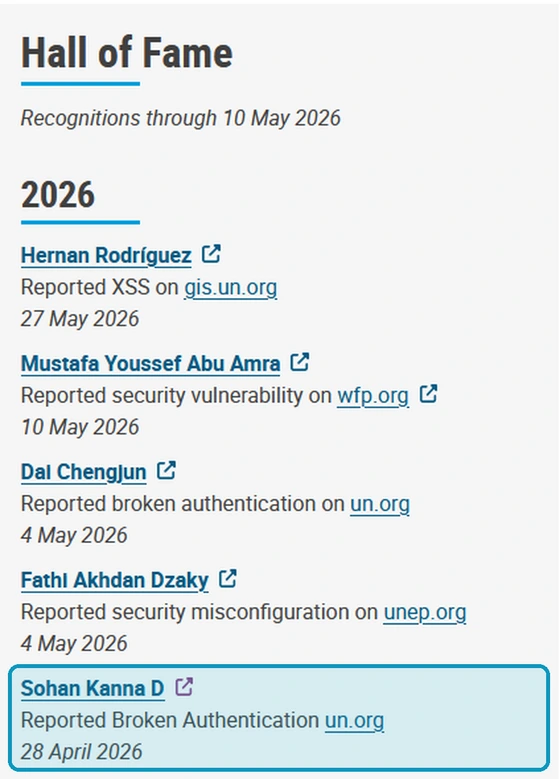 My entry in the UN Information Security Hall of Fame, highlighted.
Timeline
| Date | What happened |
|---|---|
| 28 Apr 2026 | Found the issue and reported it to the UN through their responsible disclosure process |
| 12 May 2026 | The UN acknowledged the report |
| Late Oct 2026 | Listed in the UN Information Security Hall of Fame as Sohan Kanna D (the entry carries the report date, 28 April 2026) |
| 12 Nov 2026 | This write-up published, with sensitive details redacted |
What I took away from it
- Read the boring pages. Forgot-username and forgot-password flows get far less review than the login itself.
- Partial matching? Try wildcards, not just quotes.
%and_slip right past parameterised queries. - Once you have usernames, check defaults on admin accounts. It's the least clever test and it still works.
- Prove the impact, then stop. A screenshot of the admin console was all the report needed.
If you run a disclosure program: thank you.