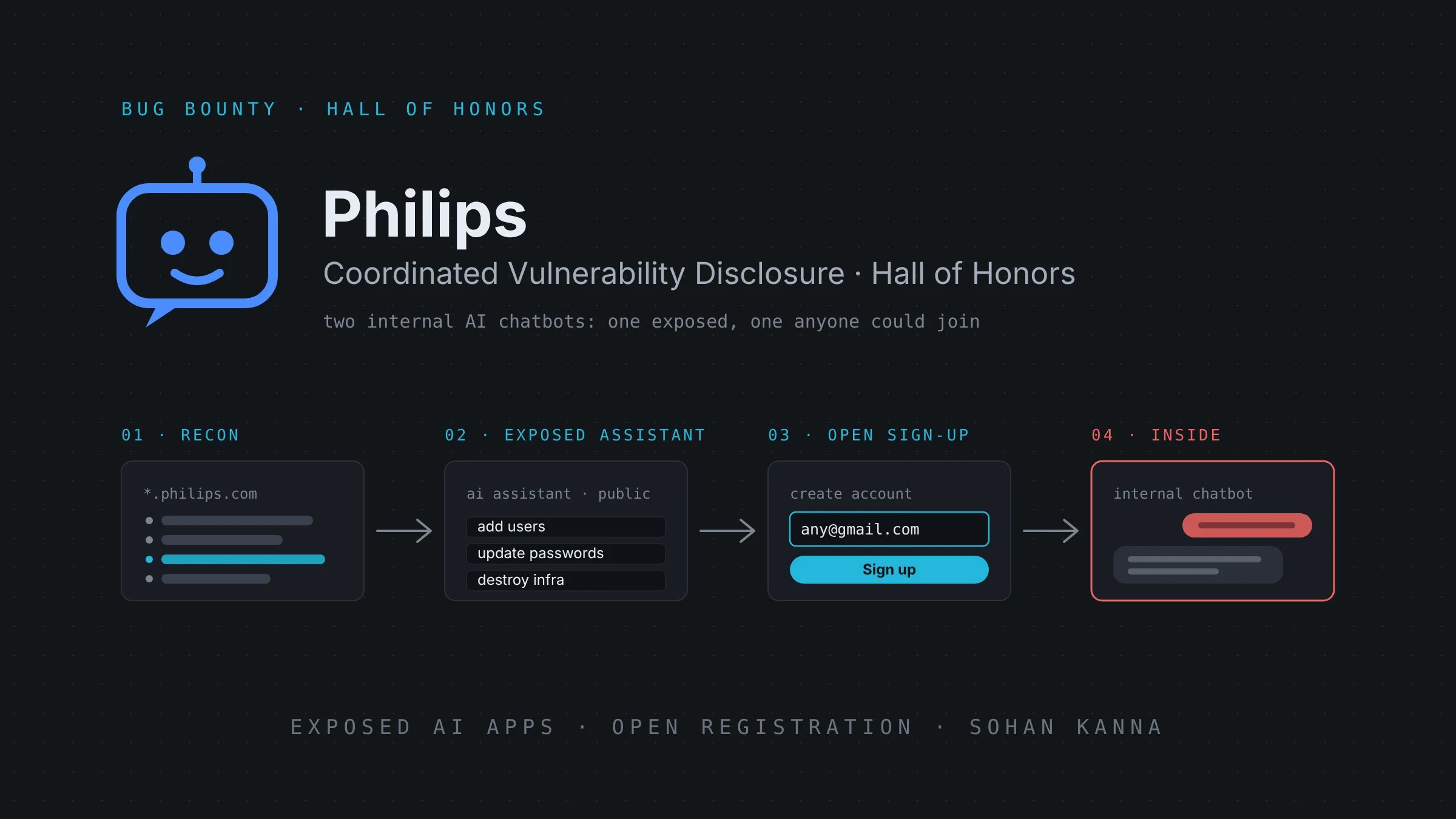
Anyone Could Sign Up: Two Internal AI Chatbots Left Open at Philips
While mapping Philips' subdomains I found two internal AI tools on the open internet. One was an infrastructure assistant that could add users and destroy infrastructure; the other was a company chatbot where anyone could register with a personal email and walk straight in.
- Severity
- High
- Class
- Exposed internal AI apps
- Reported
- 20 May 2026
- Status
- Acknowledged
On this page
Companies are spinning up internal AI tools faster than they can review them. A chatbot for this team, an assistant for that one, a dev copy, a test copy. Some of those end up on the internet with nobody noticing. This is the story of two of them.
TL;DR
- While enumerating Philips subdomains, I found two internal AI apps reachable from the internet.
- Finding 1: an internal infrastructure assistant whose menu offered add user, update password, destroy infrastructure and more. It was publicly reachable, and the only thing standing in the way was a check that complained "Email is missing".
- Finding 2: the dev and test copies of an internal company chatbot. The login itself was solid, but sign-up was open: I registered with a personal email, no company address, no approval, and I was in.
- I reported both through Philips' coordinated vulnerability disclosure program, and they added me to their Hall of Honors.
Everything identifying is redacted: hostnames, product names, internal contacts and the chatbot's internal prompts. Philips' disclosure rules ask researchers not to go further than needed to show a problem, so I didn't.
How I found them
Nothing clever here. I was enumerating Philips subdomains and going through what came back. Most of it is what you'd expect from a company that size: marketing sites, product pages, support portals.
What jumps out on a list like that is anything with copilot, assistant or chat in the name. Those are usually new, built quickly, and often meant for internal use only. Two of them were worth a closer look.
Finding 1: an infrastructure assistant on the open internet
The first one loaded straight into a chat interface:
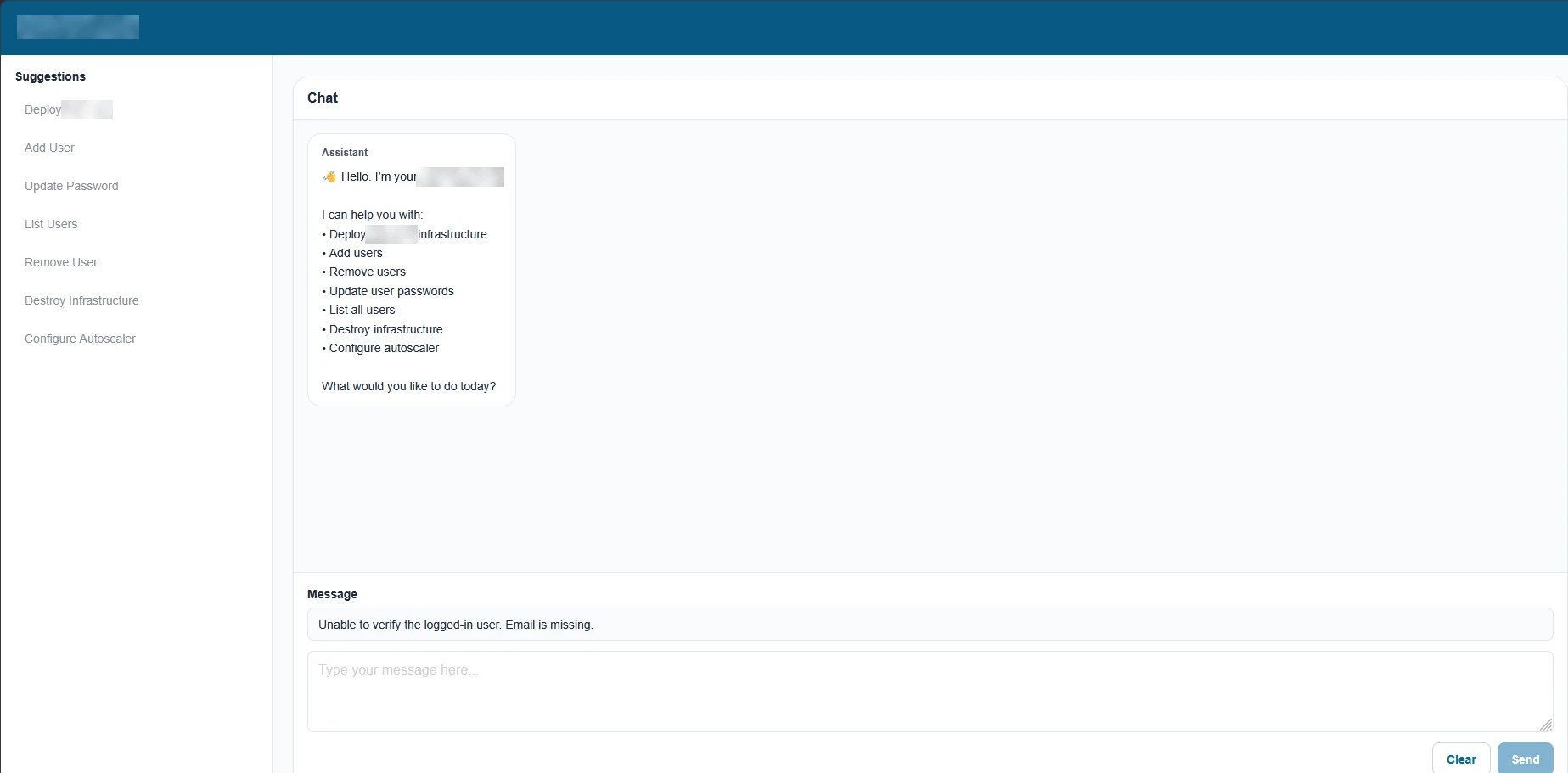 An internal infrastructure assistant, reachable from the internet. Product names blurred.
Look at what it offers:
- Deploy infrastructure
- Add users, remove users, list all users
- Update user passwords
- Destroy infrastructure
- Configure the autoscaler
When I sent a message, it replied: "Unable to verify the logged-in user. Email is missing."
That error says a lot. The app expects to be told who you are, probably by a single sign-on layer that normally sits in front of it and passes your email along. Reaching the app directly skipped that layer, so the check had nothing to work with.
How that email gets checked decides how bad this is. If the app trusts a value the client can supply, an outsider is one request away from an assistant that can create users and destroy infrastructure. I didn't test that. Philips' program asks researchers not to try to break through, and an internet-facing admin assistant is already the finding. I documented what was visible and reported it.
Finding 2: an internal chatbot anyone could join
The second one was a company chatbot built on Open WebUI, a popular open-source front end for running your own ChatGPT-style assistant. I found a dev copy and a test copy.
 The dev copy's sign-in page: email and password, or Microsoft single sign-on. Product name blurred.
The login page was fine. Nothing to inject, no bypass, and Microsoft sign-in for employees. But Open WebUI has a registration page too, and on these instances it was switched on.
So I registered with a personal email address. No company domain, no invite, no admin approval. The account was active immediately, and I was in:
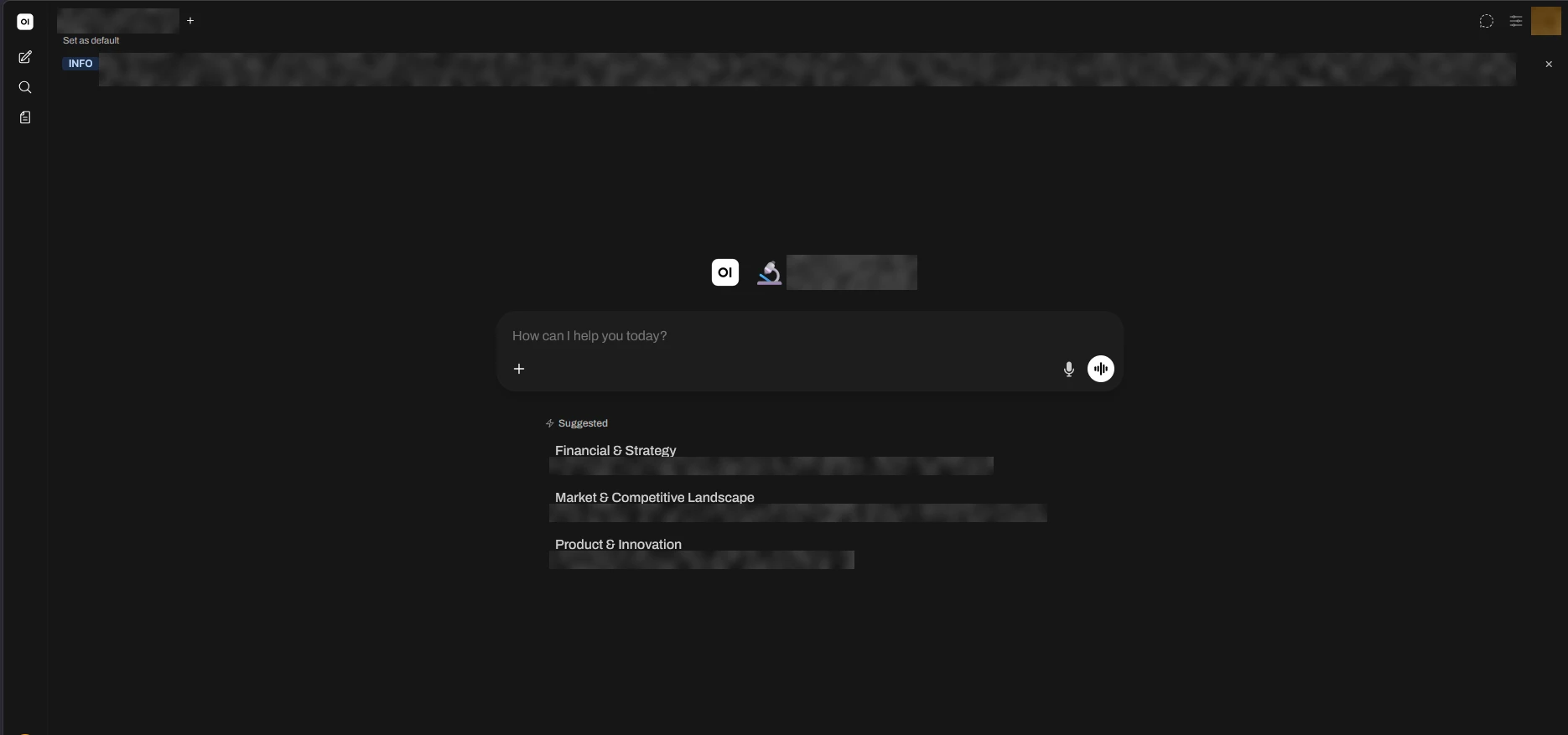 Inside the internal chatbot. The info banner, internal contacts, the bot's name and the suggested prompts are blurred.
The suggested prompts (blurred above) made it obvious this wasn't a toy: they were in the Financial & Strategy, Market & Competitive Landscape and Product & Innovation categories, asking about competitors and markets. This was an internal business-analysis assistant, and an outsider could now chat with it. I took my screenshots and logged out.
Why this one is interesting
Open WebUI is actually safe by default here. Its hardening guide says sign-up is open only until the first user registers, who becomes the admin, and after that it switches off automatically. Even when it's turned back on with ENABLE_SIGNUP=true, new accounts get the pending role and can't do anything until an admin approves them.
So for this to happen, someone had to turn sign-up back on and make new accounts active straight away. That's an easy thing to do on a dev or test copy ("let colleagues onboard themselves"), and an easy thing to forget once the copy is on the internet.
Why it matters
Finding 1 puts an assistant that can manage users and tear down infrastructure on the public internet, protected only by an identity check that's supposed to come from somewhere else. That's one misconfiguration away from an outsider running admin actions.
Finding 2 let anyone become a user of an internal AI tool:
- Anything the bot can see becomes reachable: internal documents, uploaded files, connected knowledge bases
- Internal prompts and use cases reveal what the business is working on
- Every outsider's question runs on the company's AI budget
- Dev and test copies often get real data "just to try it", with fewer controls than production
How to fix it
| # | What went wrong | Fix |
|---|---|---|
| 1 | An internal admin assistant was reachable from the internet | Keep internal tools behind the VPN or an identity-aware proxy, and make the app verify a signed identity token itself instead of trusting an email passed along by something in front of it |
| 2 | Sign-up was enabled on internal chatbots | ENABLE_SIGNUP=false, and use Microsoft single sign-on as the only way in |
| 3 | New accounts were active immediately | Keep DEFAULT_USER_ROLE=pending so an admin has to approve every account, or restrict sign-up to the company email domain |
| 4 | Dev and test copies were public | Put non-production environments behind the same access controls as production, or take them off the internet entirely |
| + | Nobody noticed | Inventory AI apps the way you inventory any other service, and monitor for new accounts from outside the company domain |
The acknowledgement
Philips listed me in their Coordinated Vulnerability Disclosure Hall of Honors as Sohan Kanna D. You can find the entry on Philips' Hall of Honors page.
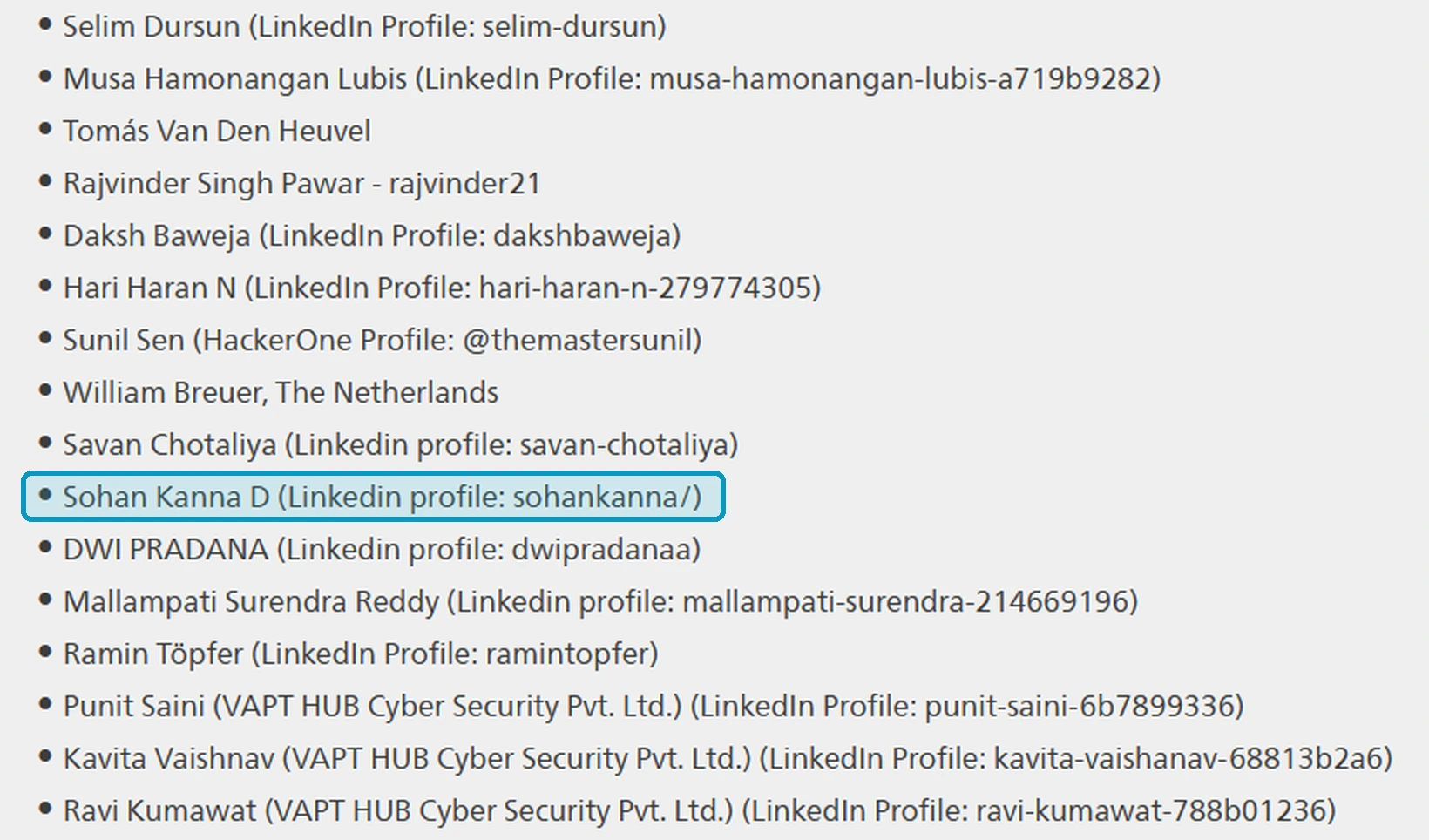 My entry in the Philips Hall of Honors, highlighted.
Timeline
| Date | What happened |
|---|---|
| 20 May 2026 | Found both issues and reported them through Philips' coordinated vulnerability disclosure program |
| 4 Jun 2026 | Philips responded and acknowledged the report |
| Mid-Jun 2026 | Listed in the Philips Hall of Honors as Sohan Kanna D |
| 12 Nov 2026 | This write-up published, with sensitive details redacted |
What I took away from it
- Search your recon for AI names.
copilot,assistant,chat,gpt,llm,ai: these are the newest and least-reviewed apps on most attack surfaces. - Always check the dev and test copies. They're usually built with the same code and much less care.
- A solid login page doesn't mean solid access control. Look for the sign-up page too.
- Know the defaults of the software you're looking at. When you know a tool is safe by default, any opening you find means someone changed it on purpose, and that's worth reporting.
- Respect the program's rules. When they say don't push further, the finding you have is enough.